Remove background
Remove a background. It costs nothing.
Not a trial, not a watermarked preview, not three a day — background removal is free of credits on every plan Crevo has, including the free one.
How it works
- 1
Upload anything
A product photo, a logo on a white card, a screenshot. It does not need to have come from Crevo.
- 2
Get the cut-out
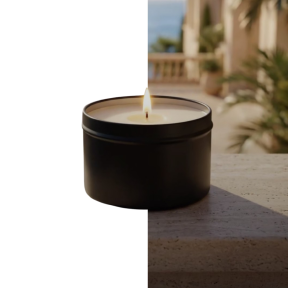
A transparent PNG, edges included — hair, fabric, the awkward bits that give a bad cut-out away.
- 3
Use it somewhere
Straight into AI background to restage it, onto a mockup, or downloaded as it is.
What it makes

At a glance
- Cost
- No credits, on every plan
- Output
- Transparent PNG
- Limit
- Your daily allowance is not touched by this tool
Questions about remove background
Really free? What is the catch?
It is genuinely free of credits — the server prices it at zero, so it runs even on an empty balance. The reasoning is plain enough: a cut-out is the first step of half the other tools, and metering it would make the paid ones harder to reach.
Is the result watermarked on the free plan?
Free-plan results carry the watermark that free-plan results carry. A subscription removes it from everything, including what you made before subscribing.



Ready to try remove background?
Start free — the daily credit allowance is enough to find out whether it does what you need.
No card to start · One account across iPhone and the web